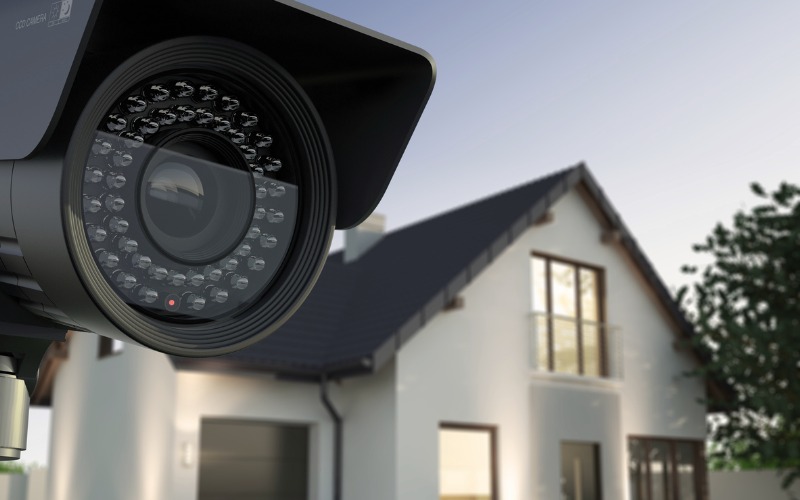
In today's digital world, security is more important than ever. While protecting your home from intruders is crucial, many homeowners also worry about privacy. Security cameras provide peace of mind, but they can also collect sensitive data. Choosing the Best Home Security Cameras that balance safety and privacy is essential for modern households. This guide will walk you through the most important features, top camera options, and tips for privacy-focused homes.
Why Privacy Matters in Home Security Cameras
Security cameras are designed to keep you safe, but they can also create privacy concerns if not carefully managed. Many cameras store footage in the cloud, which could be vulnerable to hacking. Others may record areas you don’t want monitored. For privacy-conscious homeowners, the best home security cameras are those that offer:
- Local storage options instead of cloud-only storage.
- End-to-end encryption to protect footage.
- Selective motion detection to avoid unnecessary recording.
- Clear privacy settings and user control.
Think of your home camera like a trustworthy guard dog. You want it to protect your property but not follow you into private areas or share secrets with outsiders.
Key Features to Look for in the Best Home Security Cameras
Choosing the best home security cameras requires understanding key features that enhance privacy while maintaining strong security. Here are the features to prioritize:
1. Local Storage and Cloud Options
Many cameras store footage online, but cloud storage can be vulnerable to hacking. Privacy-focused homeowners should look for cameras that offer:
- MicroSD card storage for local recording.
- Encrypted cloud storage with strict access controls.
- The ability to delete footage automatically or on-demand.
2. End-to-End Encryption
Encryption ensures that your video feed is scrambled during transmission and storage, preventing unauthorized access. The best home security cameras use AES-256 encryption or similar standards to keep your data safe.
3. Motion Detection and Zone Monitoring
Modern cameras allow you to select specific areas to monitor. This reduces unnecessary recordings and enhances privacy. For instance, you may want to monitor doors and windows but not the living room where family members spend most time.
4. Two-Way Audio
Two-way audio is useful for interacting with visitors or delivery personnel. Privacy-conscious cameras allow you to control when the microphone is active and mute it when not needed.
5. Smart Home Integration
Integration with smart home systems such as Alexa, Google Home, or Apple HomeKit can improve convenience but also introduce privacy concerns. Ensure the camera supports secure authentication and user access control.
6. Night Vision and Low-Light Performance
A good home security camera should perform well in low-light conditions. Infrared night vision is essential, but some cameras allow you to mask certain areas to maintain privacy during nighttime recording.
Top Home Security Cameras for Privacy-Focused Homes
Here is a curated list of some of the best home security cameras available for privacy-conscious users. Each model focuses on maintaining security while protecting personal data.
1. Arlo Pro 4
- Key Features: Wireless, 2K video, local storage, end-to-end encryption, color night vision.
- Why It’s Great for Privacy: Arlo Pro 4 allows you to store footage locally using a base station and supports strong encryption for cloud storage. Motion zones can be customized for precise monitoring.
2. Eufy Security 2K Camera
- Key Features: Local storage, AI motion detection, two-way audio, night vision.
- Why It’s Great for Privacy: Eufy’s cameras offer local storage without mandatory cloud usage, ensuring footage never leaves your home unless you want it to.
3. Nest Cam with Floodlight
- Key Features: High-resolution video, motion alerts, two-way audio, smart home integration.
- Why It’s Great for Privacy: Nest Cam allows you to schedule recording times and customize zones, limiting unnecessary surveillance of private areas.
4. Ring Stick Up Cam Elite
- Key Features: Wired power, HD video, two-way talk, cloud storage.
- Why It’s Great for Privacy: While Ring typically relies on cloud storage, its subscription plans offer strong encryption and selective privacy zones to reduce intrusion risks.
5. Wyze Cam v3
- Key Features: Affordable, color night vision, motion detection, local microSD storage.
- Why It’s Great for Privacy: Wyze Cam v3 is budget-friendly and allows local storage without mandatory cloud usage. Motion zones help limit recording to important areas only.
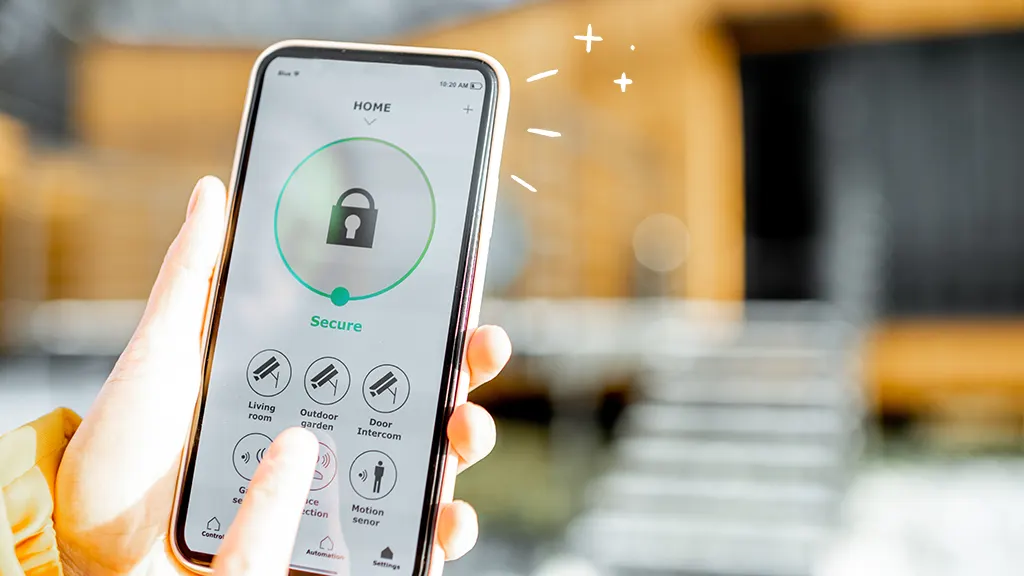
Tips for Maintaining Privacy with Home Security Cameras
Even the best home security cameras can compromise privacy if not managed properly. Here are practical tips to protect your household:
1. Limit Cloud Usage
Whenever possible, use local storage or encrypted cloud options. Avoid cameras that automatically upload footage to the cloud without user control.
2. Mask Sensitive Areas
Use privacy masks or zone monitoring to block off areas like bedrooms, bathrooms, or home offices. This prevents the camera from recording areas where privacy is a priority.
3. Update Firmware Regularly
Security vulnerabilities are often patched in firmware updates. Regularly updating your camera ensures you have the latest security measures to protect your footage.
4. Strong Passwords and Two-Factor Authentication
Always secure your cameras with strong passwords and enable two-factor authentication if available. Avoid default passwords that are easy to guess.
5. Educate Family Members
Ensure everyone in your household knows how to interact with cameras and respects privacy settings. Awareness prevents accidental recordings of private moments.
6. Turn Off Cameras When Needed
Some cameras allow temporary disabling of video and audio recording. Use this feature during private family gatherings or sensitive situations.
Real-Life Example: Balancing Security and Privacy
Consider the case of a family living in a suburban area who wanted security without sacrificing privacy. They installed Eufy 2K cameras at main entry points and configured motion zones to only capture the driveway and front door. Inside cameras were turned off during personal hours. The result was a secure home without constant surveillance of private spaces, illustrating how the right setup can maintain both safety and privacy.
Choosing the Right Camera for Your Home
Selecting the best home security cameras involves balancing your security needs with privacy concerns. Start by assessing:
- Areas you need to monitor (entry points, backyard, garage).
- Storage preferences (local vs. cloud).
- Integration with existing smart home devices.
- Budget constraints and desired features.
Remember, the most expensive camera isn’t always the best choice. The right camera is one that aligns with your privacy standards and daily lifestyle.
Common Mistakes to Avoid
Even with the best home security cameras, mistakes can compromise privacy:
- Using cameras without encryption.
- Failing to update software or firmware.
- Ignoring privacy masks or motion zones.
- Sharing access credentials with untrusted users.
By avoiding these mistakes, homeowners can enjoy the benefits of security cameras without unnecessary privacy risks.
Choosing the Right Location for Your Cameras
Entry Points Are Key
When selecting locations for the best home security cameras, entry points such as doors and windows should be your top priority. Monitoring these areas allows you to detect potential intruders immediately. For privacy-focused homes, consider cameras with selective motion detection, so only relevant areas are recorded.
Avoid Private Spaces
Even with the best home security cameras, it is essential to avoid private spaces like bedrooms and bathrooms. Position cameras in common areas or exterior locations to maintain security without compromising personal privacy. Proper placement ensures peace of mind for all household members.
Storage Options: Cloud vs. Local
Benefits of Local Storage
Local storage is a crucial feature in the best home security cameras for privacy-focused homes. Using microSD cards or home servers ensures that footage remains under your control. Local storage reduces the risk of unauthorized access or hacking.
Cloud Storage with Encryption
Some best home security cameras also offer encrypted cloud storage. This provides convenient access to footage remotely while keeping it secure. Choose cameras with end-to-end encryption to maintain the highest level of privacy for your household.
Understanding Camera Resolution and Night Vision
Importance of High Resolution
High-resolution cameras are part of the best home security cameras lineup. They capture clearer details, which is important for identifying faces or license plates in case of incidents. A camera with at least 1080p resolution is recommended for home security.
Night Vision Capabilities
Night vision is essential for the best home security cameras to work effectively in low-light conditions. Infrared night vision or color night vision helps monitor your property around the clock while keeping sensitive areas private.
Smart Features and Integration
Motion Detection and Alerts
Motion detection is a common feature in the best home security cameras. Advanced motion detection allows you to set zones, reducing unnecessary alerts. This ensures that your cameras focus on potential threats without invading private spaces.
Smart Home Integration
Many of the best home security cameras can integrate with smart home systems like Alexa, Google Home, or Apple HomeKit. This allows for easier control of cameras while maintaining security. Ensure proper privacy settings to prevent unauthorized access.
Budget and Value Considerations
Finding Affordable Options
Even if you are privacy-conscious, the best home security cameras don’t always have to be expensive. Cameras like Wyze Cam v3 offer excellent features such as local storage and motion detection at a budget-friendly price.
Long-Term Investment
Investing in the best home security cameras is a long-term decision. Choosing cameras with reliable privacy features, encryption, and durable hardware ensures that your home remains protected for years while keeping your personal life private.
Conclusion
Choosing the best home security cameras for a privacy-focused home requires careful consideration of storage options, encryption, motion detection, and user control. By prioritizing privacy, selecting cameras with strong security features, and following best practices, you can protect your home while maintaining peace of mind. Remember, the goal is to create a secure environment that respects the privacy of everyone living in the house. Whether you opt for Arlo, Eufy, Nest, Ring, or Wyze, proper setup and ongoing management are key to achieving the perfect balance between safety and privacy. If you enjoy our blogs, you’ll love what we’ve built on our homepage.
FAQs
What are the most private home security cameras?
The most private home security cameras are those that offer local storage, end-to-end encryption, motion zones, and strong privacy settings. Models like Eufy 2K cameras and Arlo Pro 4 are designed with privacy in mind.
Can I use home security cameras without cloud storage?
Yes. Many cameras, such as Eufy and Wyze, provide local storage options using microSD cards. This ensures that your footage stays in your control and reduces the risk of unauthorized access.
How do I maintain privacy while using security cameras?
To maintain privacy, use motion detection zones, mask sensitive areas, enable encryption, update firmware regularly, and avoid sharing login credentials. You can also temporarily disable cameras during private moments.